polaris~
An audiovisual augmented reality experience built on open-source hardware and software.






Summary
If an AR system can be thought of as one that combines real and virtual processes, is interactive in real-time, and is registered in three dimensions; why do we witness the majority of AR applications utilising primarily visual displays of information? I propose a practice-led compositional approach for developing multisensory AR experiences’, arguing that, as an medium that combines real and virtual multisensory processes, it must explored with a multisensory approach.
This project uses the open-source Project North Star HMD from Leap Motion alongside bone-conduction headphones to deliver a spatialised audio-visual experience via Unity called polaris~. This repository started off as a fork of the Software Companion for Project North Star, hence the other repository contributors and long list of commits. However, the experience itself including all audio-visual / artistic / musical content was added afterwards.
This page outlines my use of the system which started around June of 2020 and is ongoing. To clarify, the original design has been open sourced by Leap Motion since 2018, but there have been a fair few community revisions and updates to the design see more here. This page documents the development of the Combine Reality Deck X version of the Project North Star HMD. Combine Reality is run by Noah Zerkin, who has provided countless support to my own project, so thanks Noah! He's also pretty much the only inexpensive parts sourcer of the electrical bits needed for the headset. These pages act more like a devblog of my first year with North Star as a platform, its not to be taken as project instructions. Those can be found on the wiki guide
Inspiration and Similar Projects
- Listening Mirrors: an audio AR interactive installation by my PhD supervisors
- Laetitia Sonami: pioneer in early glove-based interactive music systems
- Atau Tanaka: interactive gestural synthesis using muscle sensors
- Keijiro Takahashi specifically their work with audio-reactivity in Unity.
- Tekh:2 has created XR instruments using granular synthesis in Unity.
- Amy Brandon creates amazing musical AR performances.
Acknowledgements
- Noah Zerkin (CombineReality) for their help in understanding some specifics workings of the North Star headset.
- Damien Rompapas (BEERLabs / ThinkDigital) for their explaining and debugging of the Software Companion to me.
- Bryan Chris Brown (CombineReality) for their moderation of the very friendly Discord server and considerable explanations of the benefits of working with the North Star headset.
Credits
- Project North Star is the 3D printable AR headset by LeapMotion that has been open-source since 2018.
- Software Companion for Project North Star is developed by Damien Rompapas at BEERLabs / ThinkDigital. If you use polaris~ in an academic context, please cite their paper
- LibPdIntegration is developed by Niall Moody at Abertay University, with assistance from Yann Seznec. It is licensed under the MIT License.
- Automatonism is developed by Johan Erikkson.
Inspiration & Rationale
(May - July 2020)
LeapMotion video from 2018 showcasing through-combiner footage of the robust hand tracking in North Star
During the development of the pilot study for my PhD: the area~ system, I came across the open-source Project North Star AR headset. It had a very clear set of advantages detailed below:
Visual Display
- 2K resolution per-eye OLED displays
Tracking
- Hand Tracking (Ultraleap Stereo IR 170)
- 6DoF Body Tracking (Intel T261)
Software
- Unity Implementation (Project Esky)
Others
- Community of makers (> 2000 people)
- Open-sourced design - ability to expand to other sensory modalities
.stlfiles for 3D Printing- Cheap in comparison to Microsoft HL2 and Magic Leap ML-1
I therefore thought it would be a good platform to design my further studies with. Either in conjunction with wireless bone conduction headphones, or via desigining, 3D printing, and implementing a bone conduction solution for the headset.
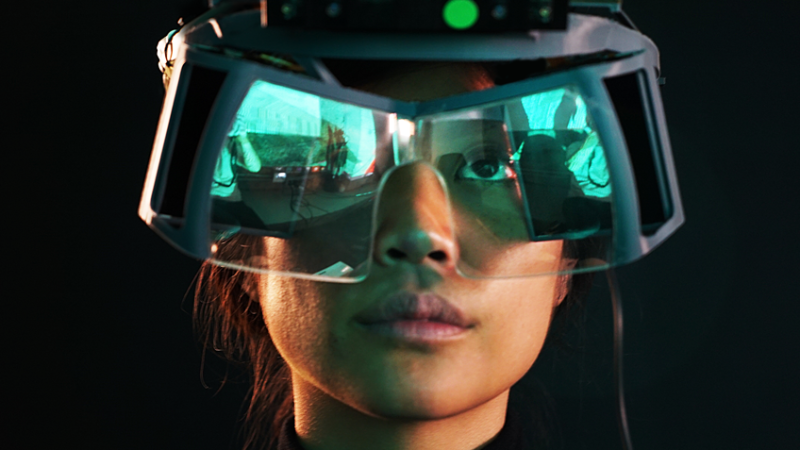
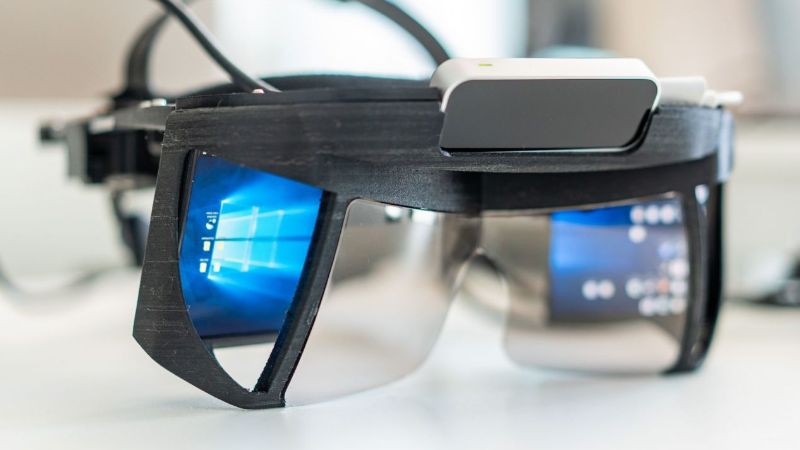
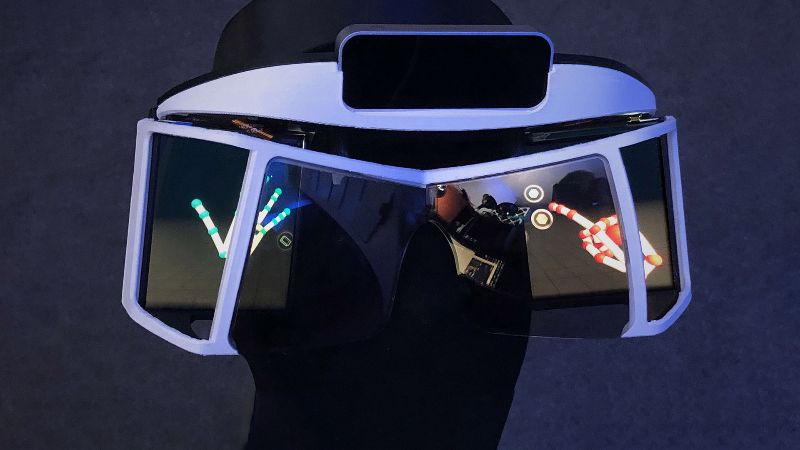
Hardware
(July - December 2020)
Shopping List (prices / stores outdated)
£300 CombineReality Deck X Kit A (pending refresh)
£110 Intel T261 (discontinued)
£510 Total Cost (£610 if you don't have access to a 3d printer)
3D Printing
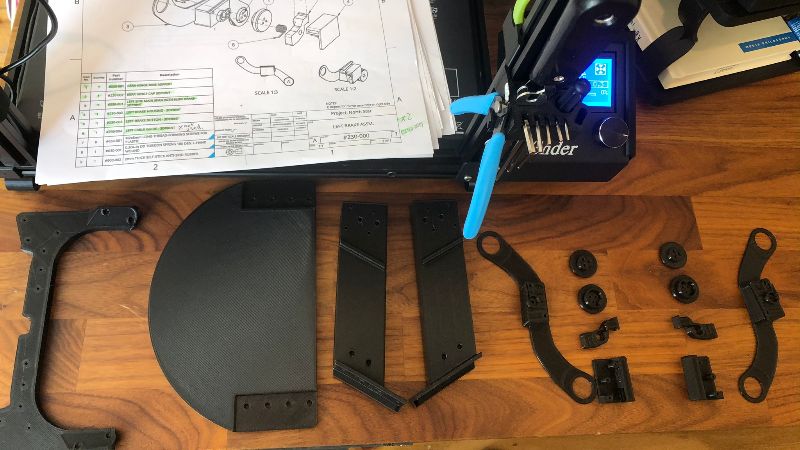
I started printing the parts (which are available here) between July and September,
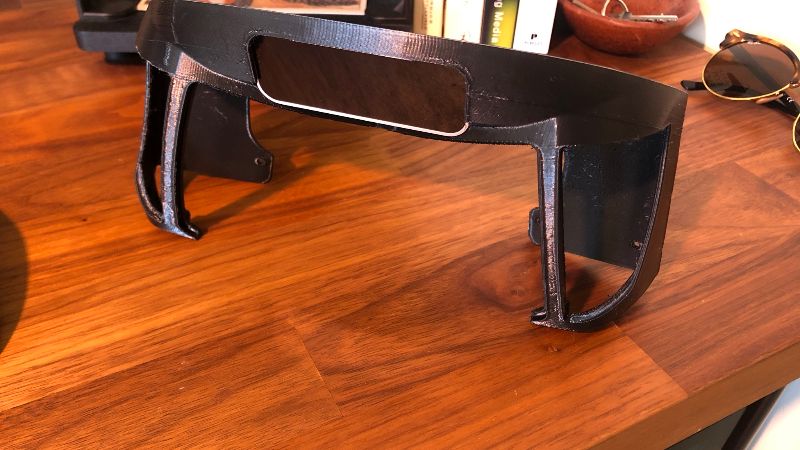
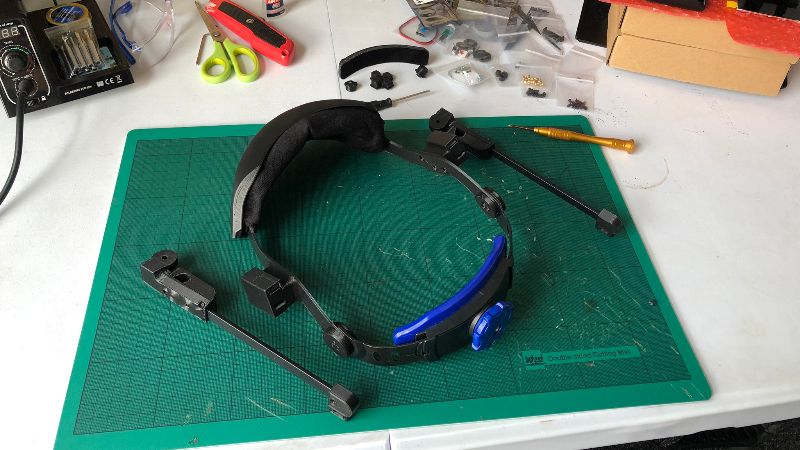
Electricals and Sensors
Building the headset involves assembling the electrical components and the sensors into the 3D printed parts. For the Deck X, these electrical components are:
- Intel T261 (6DOF Sensor)
- Ultraleap Stereo IR 170 (Hand Sensor)
- Display Board (The board which provides power to the two displays, and receives their signal via a mini Display Port cable)
- CombineReality Integrator (CR's solution to reduce cables: in older iterations of the HMD, you needed a USB cable to power the display board as well as each of the sensors. This amounted to four cables. The Integrator 'integrates' everything with one unidirectional USB C - A cable.
- It contains a USB C hub to power and relay sensor data from two USB 3.1 and one USB 2.0 connectors
- Sends power to the Display Board via a connector and capacitor board.
- Contains a 3GB on-board flash drive
- Features an arduino-compoatible microcontroller (allows further sensors, and integrates the D-Pad on the lid)
- Power for a fan to cool the T261 and all other inner components
- Lid D-Pad (CR's 6 button solution to allow hassle-free calibration and easy resetting)
- Capacitor Board (to power the Display Board from the Integrator)
- Screens (two screens that add up to a 2880x1600 120Hz display extension to your computer)
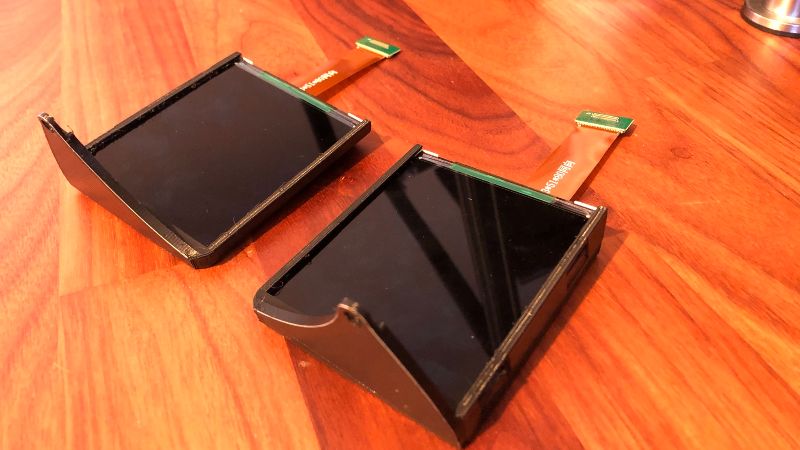
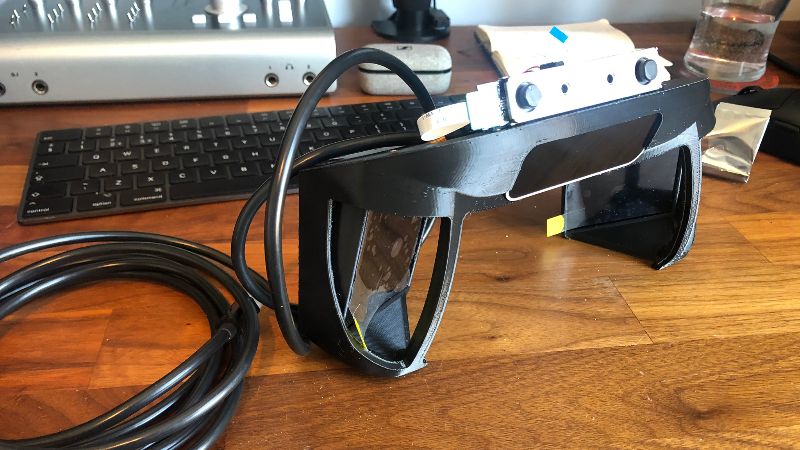
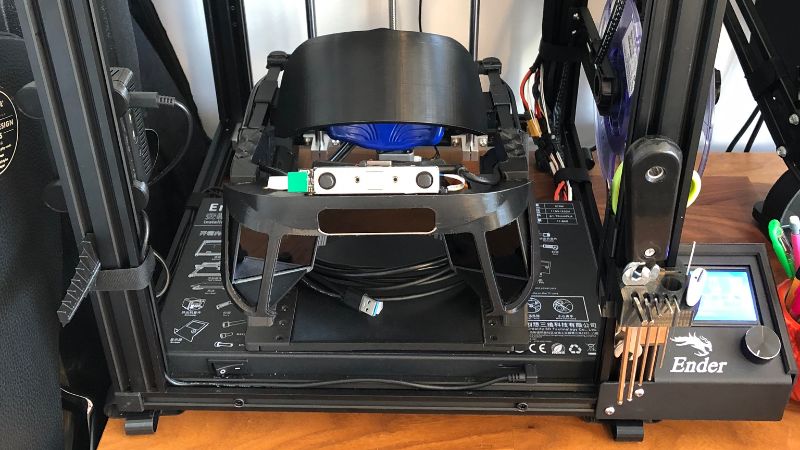
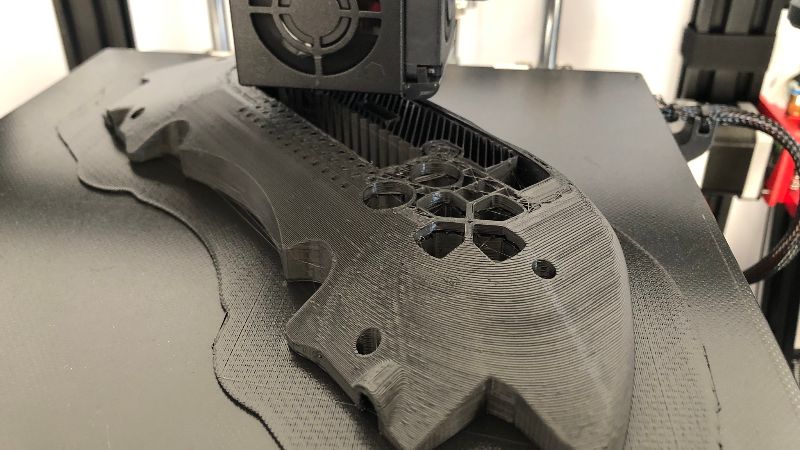
Some photos of my 3D printing process. Around January I updated to the Ultraleap Stereo IR 170 hand tracker from the Leap Motion Controller, which offers higher field-of-view. This required a reprint of the main optics bracket which is why the headset might look different in some pictures further along the process
Assembly
The full assembly guide for the CombineReality Deck X version of the North Star HMD is available here.
Software: Calibration
(December - May 2021)
Initiation
Originally, my system was very temperatmental. After much deliberation, I realised I must have shorted some part of my integrator. After replacing it, everything is plug and play. Luckily I was mainly working on written parts of my PhD during this period of time.
For best results I plug in the USB, and then the DP cable into my computer, and unplug them in the opposite order.
Software Development Kits
I required the following SDKs to get North Star working on Windows.
Intel Realsense SDK (enables head tracking)
- Latest Intel RealSense SDK 2.0 - you're looking for an asset file like "Intel.RealSense.SDK-WIN10-2.47.0.3309.exe"
Ultraleap Gemini SDK (enables hand tracking)
- Leap Developer Kit 5.0.0-preview+52386
- Leap Developer Kit 4.0.0+52238 - need to rollback to this driver to run Leap Motion example demonstrations such as Paint and Cubes
Optical Calibration
Calibrating the headset is necessary due to the large amount of small variables between headsets this stage. Lets have a look at some things that might not be the same for everyone:
- 3D Filament Type (material and layer height)
- 3D Printer Tolerances (how accurate the print is +/- mm)
- Resultant Inter-Hardware Position (the above two factors might result in minute differences in position between hardware components)
For this reason, it is commonplace to "calibrate" your headset through software, by creating a file which contains information about the various positions of hardware (I believe mainly the screens). This already sounds very difficult, so how does it work?
Historically, there are two different types of calibration, 3D and 2D. 3D came first, and is therefore (frustratingly) sometimes referred to as V1 calibration. 2D came second, and is referred to as V2 calibration. See the differences here.
- 3D Calibration (V1) requires the use of two extra cameras and is therefore more expensive and a longer process. It was necessary to do this before the North Star had a 6DoF sensor with a dual-camera at its disposal
- 2D Calibration (V2) uses the dual-camera in the 6DoF sensor (Intel T261), and is therefore cheaper and quicker.
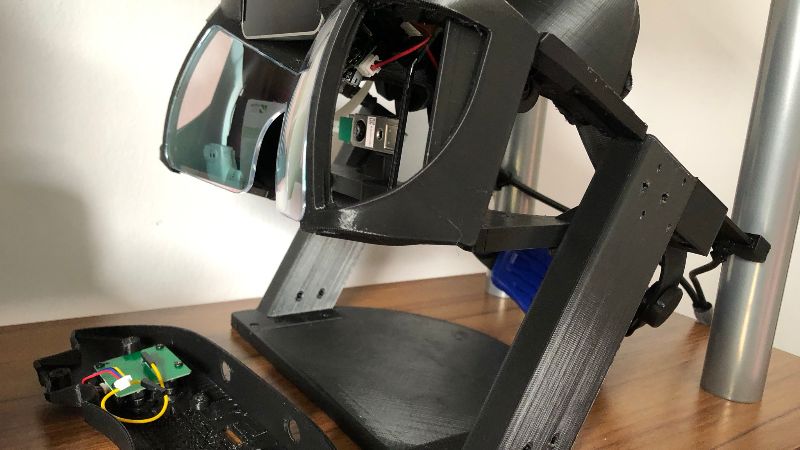
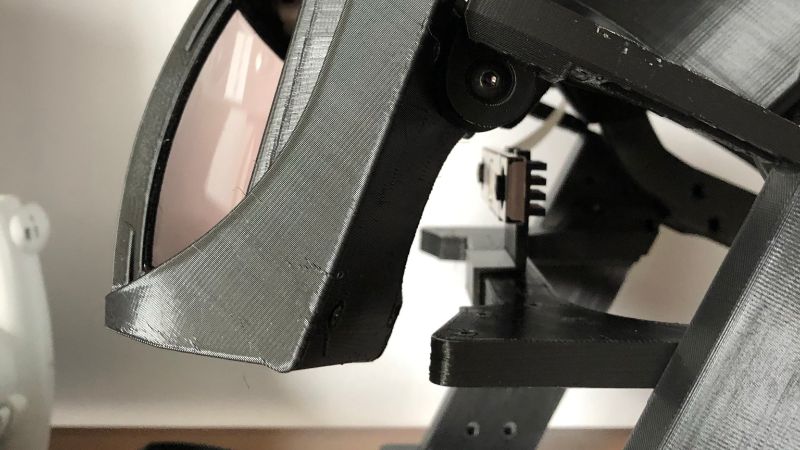
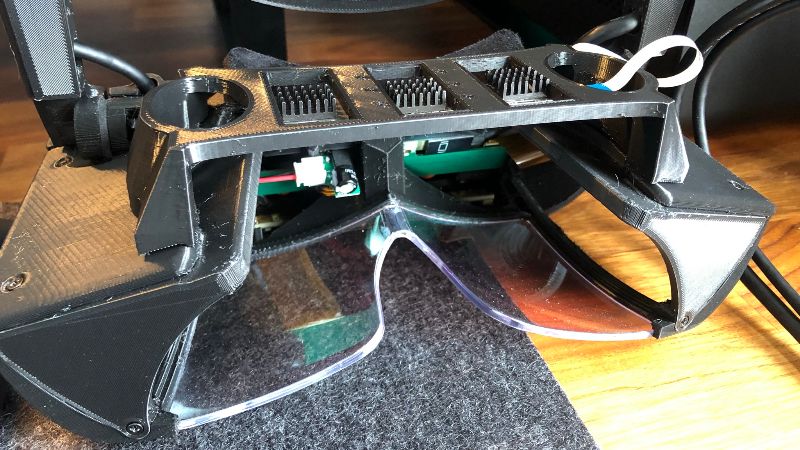
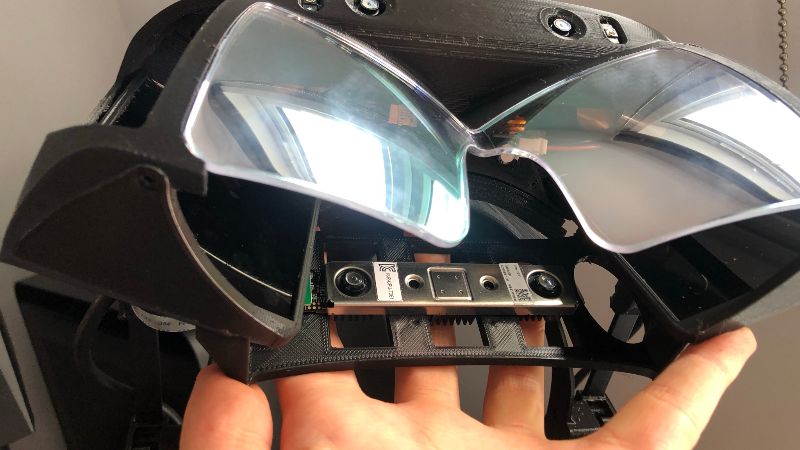
Historical 2D (V2) Calibration Stand vs New T26x Hybrid Calibrator
2D (V2) calibration used to require placing the headset on a special calibration stand, taking the T261 and anchoring it where the eyes would sit behind the headset. These are the first photos in the slideshow.
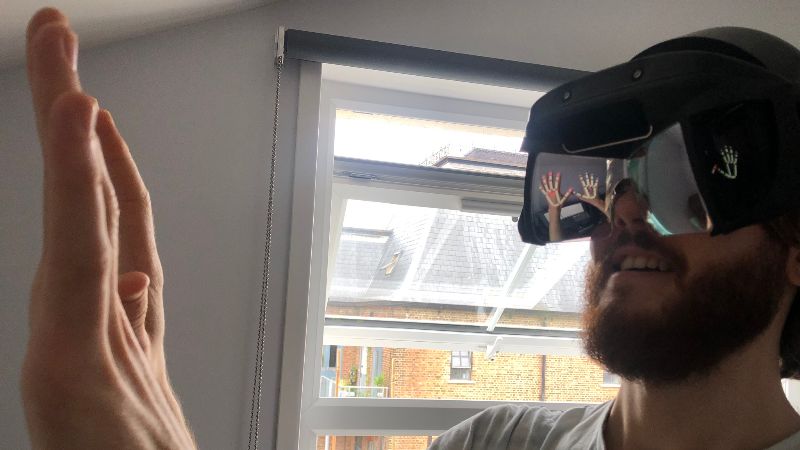
Thanks to the new T26x Hybrid Calibrator, the stand is no longer necessary, as is shown in the last two photos.
Calibration is fairly simple and requires running premade python scripts. Instructions are here (I created a custom anaconda virtual environment (venv) to install the packages and run the calibration scripts from this venv). The output are four number arrays, which can later be used in Unity to make sure that each eye receives calibrated visuals from the screens. I keep these arrays in a sacred folder called CALIBRATIONS DO NOT TOUCH/.
Software: Running Demos
(May - July 2021)
Through-Combiner Recording
In July I added a camera to the headset, to be specific, I have a Raspberry Pi Zero, taking power over USB 2 ribbon cable from the CombineReality Integrator, connected to a ZeroCam (small camera), placed just to the right of the left screen on the headset. This results in the camera being in front of my left eye. Despite making it harder to see objects, for documentation and archival purposes, the camera has been a great addition. Following these instructions, the camera shows up as a standard USB camera through the headset's USB 3 cable. This cable to the PC is now not only powering and transferring data to and from the sensors and displays, but now also the new camera, all through one cable!
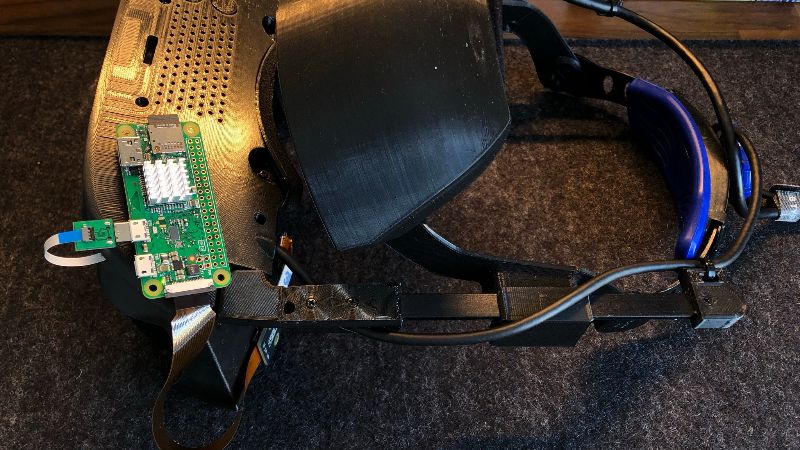
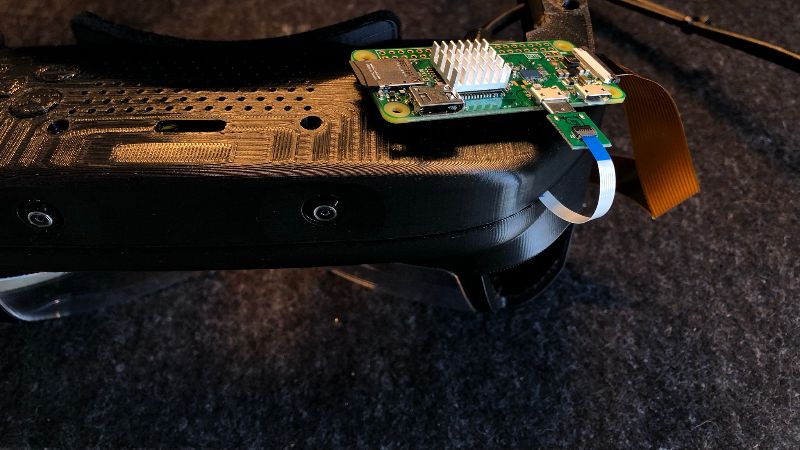
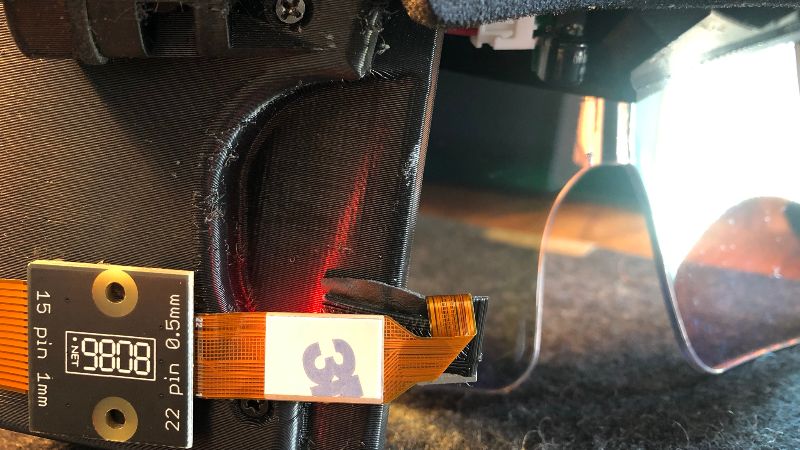
Raspberry Pi Zero + ZeroCam Through-Combiner Setup
In order to take these videos, I use OBS to composite my webcam, specific portions of my screen (during Unity Demos), as well as the through-combiner camera I have set up, and later on, binaural audio. Overall, whilst it looks and feels hacked together, and could probably do with a 3D printed enclosure, the system works perfectly well for documenting the experience of wearing the headset.
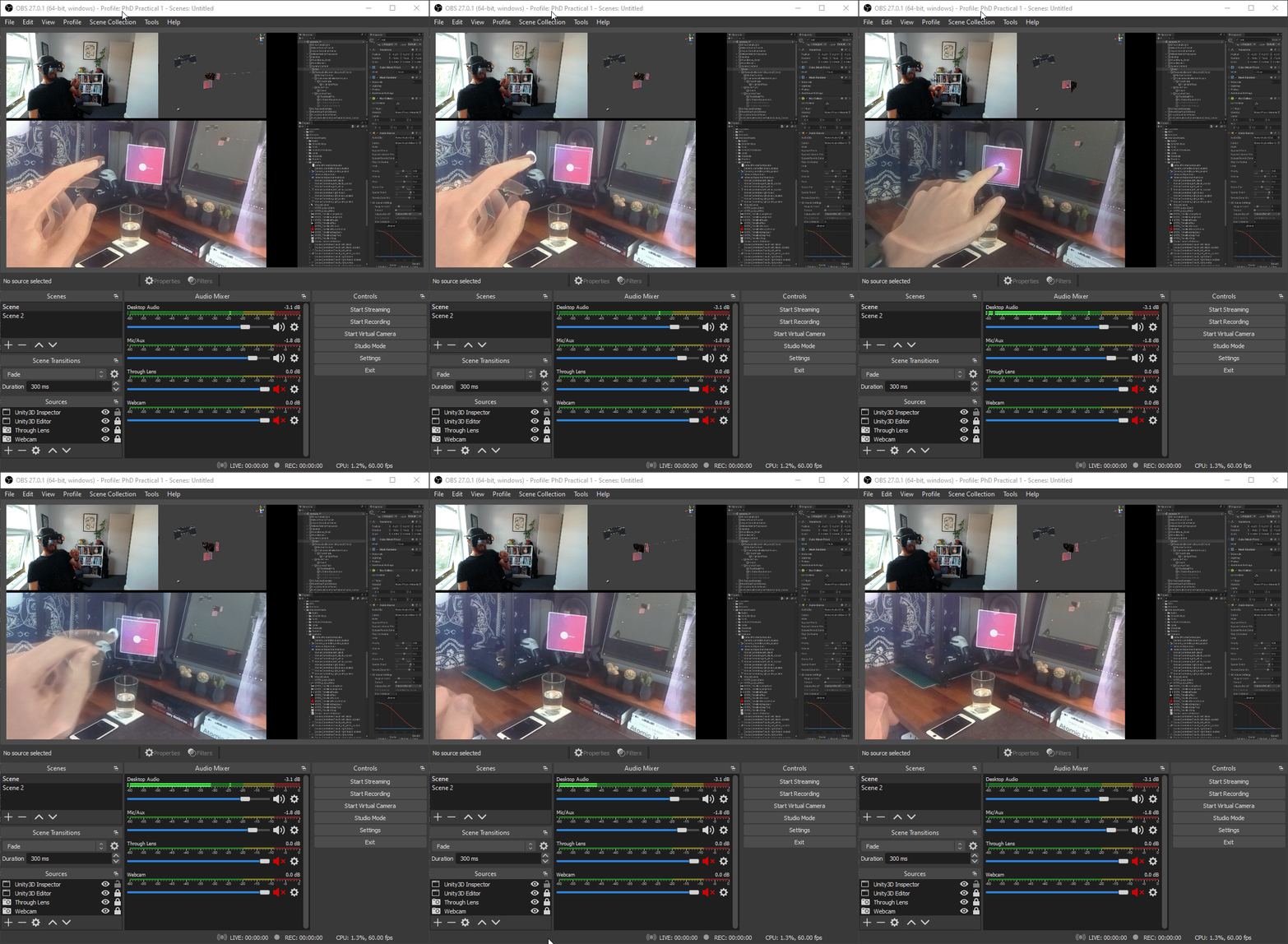
Pressing a button while running the OBS camera/screen/audio compositing setup
Paint & Cubes
Now that the headset is built, the SDKs are installed, and I have a 2D optical calibration, it was time to run a few demos. The first video above shows this original Unity demo from Leap Motion. As mentioned in the calibration page , if you want to run this yourself, you need to be on the multi-device support SDK.
Project Esky
Project Esky is a open-source software platform apable of high fidelity natural hand-interactions with virtual content, high field of view, and spatial mapping for environment interactions. This is the software framework by which I am creating my AR experiences in Unity. It is developed by Damien Rompapas, who has helped a lot in helping my project run smoother. Esky allows the North Star to be emulated as a Windows Mixed Reality Headset, meaning that you can use the Microsoft Mixed Reality Toolkit in Unity3D for desigining interactions (like the Microsoft Hololens 2 does).
There are a couple of important steps I had to go through before I could use Esky properly, importing calibration, setting up display settings, and aligning my hands. The third video covers importing my optical calbration into Project Esky, and the fourth video covers hand alignment, which makes sure that your virtual and real hands are aligned.
From here on, when working in Unity 3D, it is assumed that I am referring to the Project Esky Unity Implementation.
Software: Planning Musical AR Instruments
(July - August 2021)
Current state of the ARt
At this stage, I have a working visual AR headset... what about audio? As mentioned in the inspiration for this project I am using wireless bone conduction headphones, after trialling their use for audio AR in the area~ project. I use these because they serve as an aural equivalent to the method of visual mediation being used with the headset ('see-through' = 'hear-through'), that is to say, just as the headset does not occlude the sight of real physical objects in the participant's environment by using a half-mirror to combine virtual objects into the participants field of view, bone conduction headphones sit on the temple of the participant, rather than in the ear canal, and so they do not diminish the ability to hear sounds originating from real (not virtual) objects or processes in their environment.
The content for this headset and headphones is visually and auditorily assembled in three dimensions by the Unity engine in conjunction with real-time head and hand tracking data! What a sentence, and what a feat in itself -- the credit for which lays soley with those genius minds that have enabled this open-source North Star project in the first place!
"So what are you looking (listening) for?"
I am interested in creating expressive musical instruments that are situated in AR; that is to say, they are spatially and contextually relevant to their real world environment, not only the virtual environment they are necessarily spawned into.
"Ok, but how will you make musical instruments in a 3D game engine?"
At this point, I would prefer to draw from an audio engine or audio-focused programming language that I already have some experience in, not only because it would be more familiar, but also because there are a few technical difficulties in trying to realise everything in Unity (more on that later). Sticking to one engine/language for prototyping audio interactions from the outset would be preferable in order to maintain progress and proficiency
"How will you choose from Supercollider, Max MSP, PureData, Wwise, and FMOD amongst others?"
In order to plan for the long-term relevance of this project in creating interactable, tangible, and expressive AR musical instruments, the features that this audio engine or audio-focused programming language would need are:
1. Uses In-Built Unity Audio Spatialisation
Unity is a great 3D engine, with native (in-built) spatialisation of creatable elements called "GameObjects", that can have:
- Visual attributes such as three-dimensional meshes, material colours, and textural properties
- Physical attributes such as edges, position, mass, velocity
- Auditory attributes such as a sound source with pitch and volume dependent on the physical attributes of position and velocity (things further away from the AudioListener component, which is assigned to the position of the headset, are quieter for example)
For these reasons, keeping audio "inside" Unity, and using its native audio spatialisation based on physical transform (x,y,z, velocity etc) values of the GameObjects is a feature that the project would benefit massively from in terms of labour. If instead I chose to have a separate audio engine/server running in the background, it would have to have its own "knowledge" of the physical attributes of all of the GameObjects in Unity, and then spatialise everything itself. This (whilst possible) is probably outside of the scope of this project as long as an alternative is available that can exist "inside" Unity.
2. Cheap Instantiable Audio
The chosen audio engine / language needs to have the functionality of being able to create simple templates of audio algorithms that are then called into existence or "instantiated" tens to hundreds of times as the auditory output of certain GameObjects in Unity.
3. Extended Audio Techniques Available
It's not enough for the chosen audio engine/language to only have access to sample-based audio techniques (e.g. pressing a button triggers a pre-recorded sound file). It is definitely a feature I will need, as it is in cases more computationally "cheaper" to do so versus some synthesis techniques. However, due to the demands of real-time interaction in this project, and the aims of fine-grained expressive adaptation of musical textures, real-time synthesis will be one of the more often used techniques. More broadly and in the long-run, this project would benefit from being able to use as many audio techniques rather than having a cramped palette of 2 or 3 -- drawing from this early choice the ability to create a wide variety of AR musical instruments - each of them having their own nuanced interaction methods, creative expressivities, and modes sensory perception modulation.
4. Real-Time Parameter Control
Building on the last two features, the project would call for the ability to change in real-time, parameters of the audio algorithms being used. This would be the main source interactibility with an instrument, as having no parameters to control would likely mean that the instrument would not be instrumental in doing anything. Additionally, it would reduce the extent of co-adaptation of musical textures between participant and their instrument if there were not any parameters of the sound that were effectable in real-time. Therefore, this audio engine/language must have the ability to expose its own parameters to Unity via C# scripting (which is the native language of Unity projects) so that attributes and values inherent to the associated GameObjects can be mapped to have effects on the audio algorithms. This would make interactions such as touching an object (which is an event that happens in Unity) be able to have effects such as increasing the pitch of the sound coming out of the object, randomising the volume, or changing the scale (which would be values inside the audio engine/language).
5. Allows Rapid Prototyping
In order to iterate quickly and efficiently on the design of instruments, whatever engine or language I am using must support quick changes to the structure and logic of the instrument and its audiovisual properties.
6. Open-Source, Free, and Cross-Platform
It would be preferable that this audio engine/language is open-source, free and cross-platform in order to be as inclusive as possible to a wide range of computational artists, designers, and developers wanting to implement and make their own AR musical instruments.
What to use then?
The following are only some of the available options, but are those that tick the most boxes feature-wise.
Unity's AudioSource Component
★★★★★ Uses Unity Spatialisation ★★★★★ Cheap Instantiable Audio ★★☆☆☆ Extended Audio Techniques Available ★★★☆☆ Real-Time Parameter Control ★★★☆☆ Allows Rapid Prototyping ★★★★★ Open-Source, Free, and Cross-Platform
No real-time synthesis means that instruments would be fairly simple sample triggerers with not much parameterisation available.
C# Granulator Synth via Granulator
★★★★★ Uses Unity Spatialisation ★★★★★ Cheap Instantiable Audio ★★★☆☆ Extended Audio Techniques Available ★★★★☆ Real-Time Parameter Control ★★★☆☆ Allows Rapid Prototyping ★★★★★ Open-Source, Free, and Cross-Platform
Granular synthesis only, would be a fairly limited set of options for building parameterised instruments.
Supercollider
☆☆☆☆☆ Uses Unity Spatialisation ★★★★★ Cheap Instantiable Audio ★★★★☆ Extended Audio Techniques Available ★★★★★ Real-Time Parameter Control ★★★★★ Allows Rapid Prototyping ★★★★★ Open-Source, Free, and Cross-Platform
<!--
-->No integration with Unity means two engines running (scsynth+Unity), and hence there would be a lot of work associated with attaining the same level of 3D audio believability that Unity provides natively. I would have to send all GameObject object, head, hand transforms to Supercollider and re-create the 3D engine environment before even getting to synthesis.
MaxMSP
☆☆☆☆☆ Uses Unity Spatialisation ★★★★☆ Cheap Instantiable Audio ★★★★★ Extended Audio Techniques Available ★★★★★ Real-Time Parameter Control ★★★★★ Allows Rapid Prototyping ★☆☆☆☆ Open-Source, Free, and Cross-Platform
<!--
-->Same issue as Supercollider, but is also not free nor open-source.
Pure Data via Heavy Compiler and Wwise
☆☆☆☆☆ Uses Unity Spatialisation ★★★☆☆ Cheap Instantiable Audio ★★★★★ Extended Audio Techniques Available ★★★★★ Real-Time Parameter Control ★☆☆☆☆ Allows Rapid Prototyping ★☆☆☆☆ Open-Source, Free, and Cross-Platform
<!--
-->Not being comfortable with Wwise means this is a poor option. It would also require using a separate 3D audio engine such as Resonance or Microsoft 3D Audio. It would be slow to prototype due to the time compiling patches into C for Wwise.
Pure Data via LibPdIntegration
★★★★★ Uses Unity Spatialisation ★★★★★ Cheap Instantiable Audio ★★★★★ Extended Audio Techniques Available ★★★★★ Real-Time Parameter Control ★★★★★ Allows Rapid Prototyping ★★★★★ Open-Source, Free, and Cross-Platform
This is the way to go!
Software: Musical AR Instruments in PureData
(August 2021 - February 2022)
The NEW Current state of the ARt
In the last section, I went through the available choices for developing the audio section of my AR instruments. Out of these choices, the system that makes the most sense is developing PureData patches for the audio end of the instrument, and then implementinng Niall Moody's LibPdIntegration project, which allows PureData patches to be run in Unity.